How to Set Up the FLIR Hadron 640R Development Kit with NVIDIA Jetson Nano
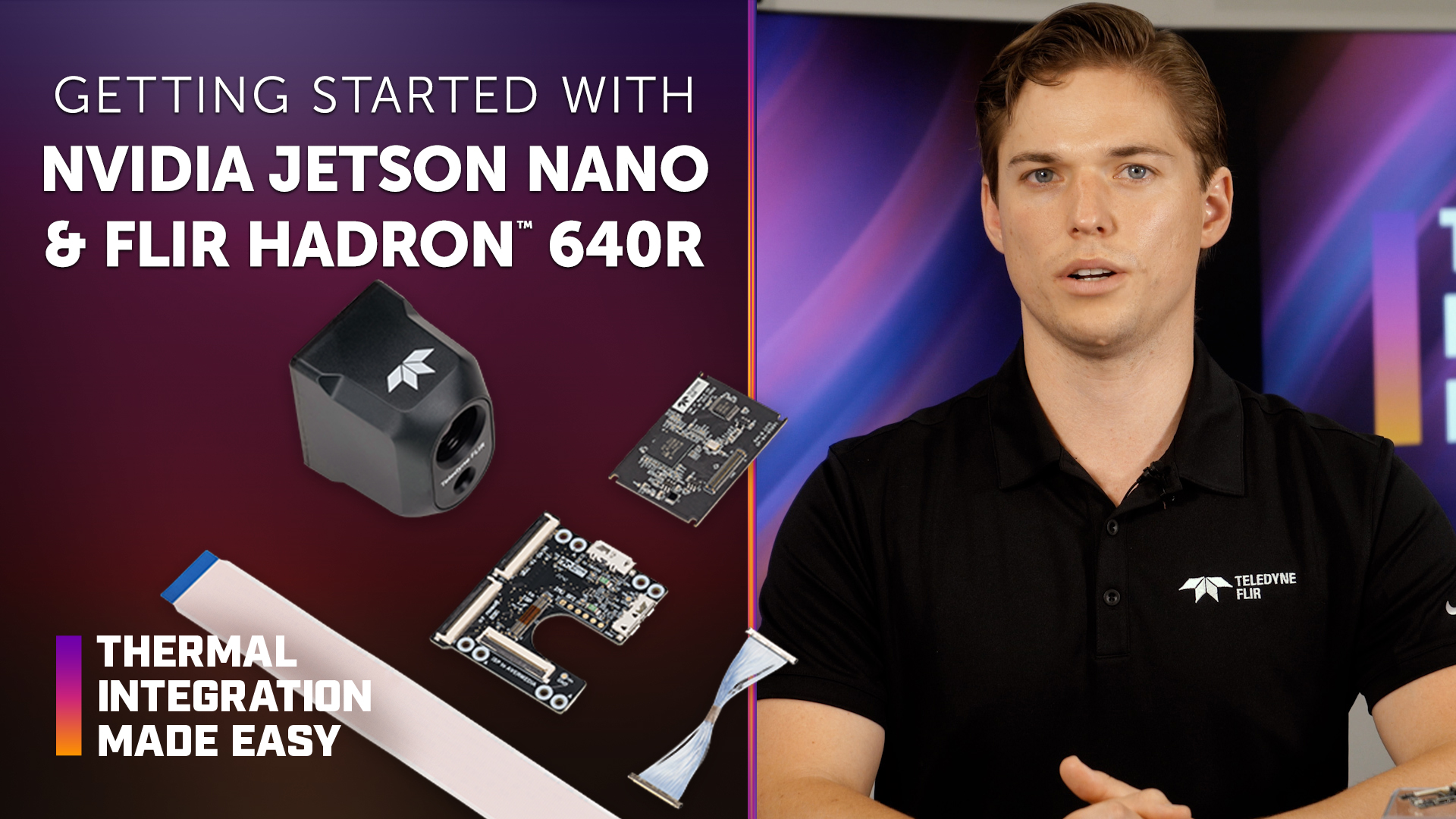
The FLIR Hadron® 640R Development Kit provides a streamlined way to connect, image, and control the Hadron 640R dual thermal and visible camera using an NVIDIA Jetson Nano embedded platform. The plug-and-play development solution helps OEM engineers accelerate integration while reducing the time and cost associated with developing a custom interface.
In this episode of Thermal Integration Made Easy, engineers and developers learn how to connect the Hadron 640R Development Kit to an AVerMedia D110 Jetson Nano carrier board. The video covers required hardware, image signal processor (ISP) and breakout board connections, Mobile Industry Processor Interface (MIPI) cabling, power and universal serial bus (USB) connections, driver installation, and streaming visible and infrared (IR) video to the Jetson Nano.
Key Takeaways
What is the FLIR Hadron 640R Development Kit for NVIDIA Jetson Nano?
The development kit provides the hardware and driver support needed to connect the Hadron 640R to a compatible NVIDIA Jetson Nano platform, helping developers begin imaging and controlling the camera without first developing a custom interface.
Which Jetson Nano platform is demonstrated in the video?
The driver and development kit demonstrated in the video are compatible with the AVerMedia D110. Other Jetson Nano platforms may require driver modifications and may not be compatible with the development kit.
Is the AVerMedia D110 included with the Hadron 640R Development Kit?
No. According to the video, the AVerMedia D110 kit must be purchased separately.
What components are included with the Hadron 640R Jetson Nano Development Kit?
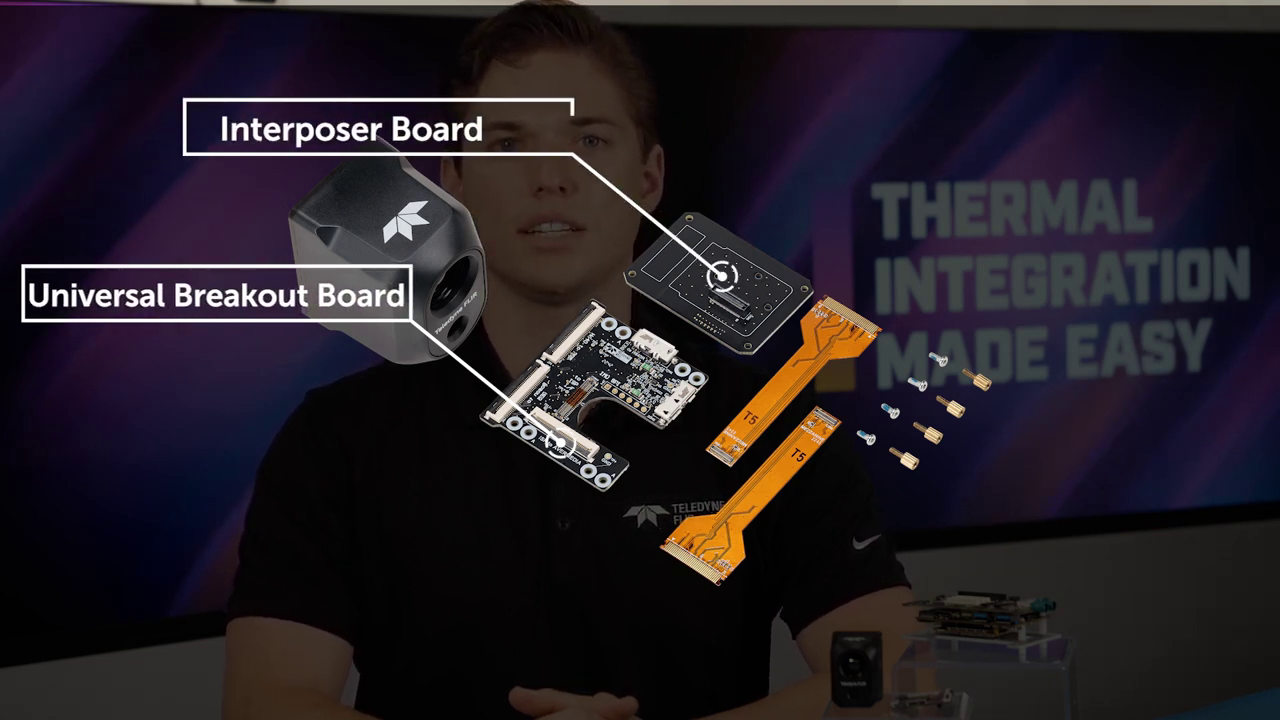
The video identifies an ISP board, universal breakout board, micro-coax cable, and flexible flat cable (FFC) for the MIPI connection as components of the development kit.
What does the ISP board do?
The image signal processor board acts as an intermediary processing board for preprocessing MIPI video from the Hadron 640R.
What does the universal breakout board do?
The universal breakout board provides the connection between the development kit and the AVerMedia carrier board.
What additional hardware is required?
In addition to the development kit and AVerMedia D110, the video specifies a 9- to 19-volt power supply for the Jetson Nano and a USB Micro-B SuperSpeed-to-USB-A cable.
How is the Hadron 640R connected to the development kit?
The ISP board connects to the back of the Hadron 640R. The ISP board is then connected to the universal breakout board using the micro-coax cable.
How is the MIPI connection made?
The FFC connects the AVerMedia carrier board to the universal breakout board. The cable must be fully seated and secured with the locking clips, with the blue strip oriented away from the breakout board as demonstrated in the video.
Why is a USB connection required?
A USB cable connects the AVerMedia board to the breakout board to provide power to the board and communication with the infrared camera.
What software is required after the hardware is connected?
After completing the hardware connections, the appropriate driver must be installed according to the development kit instruction manual.
What video can be streamed to the Jetson Nano?
Once the hardware is connected and the driver is installed, the system can stream both visible and infrared video directly to the Jetson Nano.
What applications can use the Hadron 640R?
The video identifies unmanned aircraft systems (UAS), unmanned ground vehicles (UGVs), robotics platforms, and emerging artificial intelligence (AI)-ready applications where battery life and runtime are important considerations.
Why is the Hadron 640R suited for embedded applications?
The Hadron 640R combines thermal and visible imaging with radiometric capabilities and flexible output formats in a platform designed to support integration into embedded imaging systems.
How to Set Up the FLIR Hadron 640R Development Kit with NVIDIA Jetson Nano
Confirm platform compatibility.
Use the compatible AVerMedia D110 Jetson Nano platform demonstrated in the video. Other Jetson Nano platforms may require driver modifications and may not be compatible with the development kit.
Gather the required hardware.
In addition to the Hadron 640R Development Kit and AVerMedia D110, obtain a 9- to 19-volt power supply and USB Micro-B SuperSpeed-to-USB-A cable.
Connect the ISP board to the Hadron 640R.
Plug the image signal processor board into the back of the Hadron 640R.
Connect the FFC cable.
Insert the flexible flat cable into the AVerMedia carrier board and universal breakout board. Ensure the cable is fully seated and secured by the locking clips. On the breakout board, the blue strip should face away from the board as demonstrated in the video.
Connect the ISP and breakout boards.
Use the blue micro-coax cable to connect the ISP board to the universal breakout board.
Connect the USB cable.
Connect the AVerMedia board to the breakout board using the USB cable. This connection provides power to the board and communication with the infrared camera.
Connect the required power supply. Supply the Jetson Nano with the required 9- to 19-volt power source specified in the video.
Install the driver. Once the hardware is connected, install the development kit driver and follow the instructions provided in the integrator's guide.
Stream thermal and visible video. After setup and driver installation are complete, the system should be able to stream both visible and infrared video directly to the Jetson Nano.
Products & Technology Featured
The Hadron 640R combines radiometric thermal imaging and visible imaging in a compact dual-camera module designed for embedded integration. Its capabilities support UAS, UGV, robotics, and AI-ready applications where size, power consumption, and runtime are important system considerations.
FLIR Hadron 640R Development Kits
The Hadron 640R Development Kit provides hardware and driver support for connecting the Hadron 640R to a compatible Jetson Nano platform. The kit is designed to simplify initial development and reduce the time required to begin streaming and controlling the camera.
Looking for additional technical resources or support?
Visit our Support Center for documentation, software downloads, and troubleshooting guidance.
RELATED DOCUMENTS
THIRD-PARTY RESOURCES